

Online casino lobbies can become difficult to use when hundreds or thousands of titles compete for attention. Betya presents casino and sportsbook services through one account, so clear navigation matters when moving between games, live tables, account controls and mobile pages. This betya casino review focuses on usability rather than promotional claims: how to narrow a large catalogue, compare game information, recognize useful shortcuts and avoid confusing a browser-based mobile site with a dedicated application.
Start with the lobby structure instead of scrolling
A large catalogue is most useful when it is divided into meaningful paths. The reported lobby structure includes broad categories such as video slots, classic slots, live dealer, blackjack, roulette, table games, video poker, jackpot titles and original games. This gives a visitor several ways to begin: choose a familiar format, explore a specific table game or use a narrower section instead of browsing every title in sequence.
Additional shelves such as Top 50, New, Betya’s Best, Hot, Favorites and Recents serve different purposes. “New” is suited to players looking for recently added content, while “Recents” is more practical for returning to a game already opened. “Favorites” can reduce repeated searching if the account offers that function consistently. Popularity-based areas may be useful for discovery, but they should not be treated as evidence that a game is more suitable, less risky or more likely to produce a particular result.
The sportsbook and casino are described as sharing one account and wallet, which can simplify movement between services but may also make the interface feel busier. A sensible first step is to identify whether the current page belongs to the casino or sportsbook before selecting a category. On a smaller screen, open the main navigation deliberately, check the active section and use the back control within the site rather than repeatedly refreshing the browser.
Which filters make a large catalogue easier to manage?
Category labels are the quickest starting point, but they do not answer every practical question. A player looking for a streamed table should use Live Dealer rather than a general roulette or blackjack section if the distinction is available. Someone seeking a short-form original game may find Crash, Mines, Diamonds or other listed originals more efficiently through the dedicated originals area than through the full lobby.
Game information is another important part of navigation. Many reported RNG titles provide demos and title-specific RTP details. A demo can help explain the controls, layout and general pace before real-money play, but it does not establish future results or guarantee a particular return. RTP is a long-run statistical measure, not a prediction for a short session. Look for the information panel attached to the individual title, and distinguish factual specifications from promotional descriptions.
Use the following sequence when the lobby feels crowded:
- Choose the broad format first, such as slots, live dealer or table games.
- Apply a narrower shelf, such as New, Jackpot, Classic Slots or Originals.
- Open the game details and review available information before launching it.
- Save genuinely preferred titles to Favorites rather than collecting every unfamiliar option.
- Use Recents when returning to a game, but remember that recent access does not indicate quality or performance.
This approach reduces unnecessary scrolling and keeps discovery separate from decision-making. It also makes it easier to leave a title that does not suit your preferred pace or interface.
How should live tables and instant games be compared?
Live dealer content and instant or RNG-style originals may appear beside conventional casino games, yet they serve different navigation needs. Live tables use video streams and may include dealer chat, making connection quality and screen space relevant. A live blackjack or roulette page can require more visual attention than a simple instant game, particularly on a phone.
Instant games are often organized around quick interaction, but their simple controls should not be confused with simple risk. Crash, Mines, Diamonds and similar formats can vary considerably in rules, presentation and pace. Read the individual game instructions before choosing a stake. If a title includes special mechanics, bonus buys, cascading reels or Hold & Win features, find those explanations in the game information rather than assuming that familiar labels mean identical rules across providers.
Provider names can also help with orientation. The reported catalogue includes studios such as Pragmatic Play, Evolution, Play’n GO, Yggdrasil, BGaming and many others. A provider filter or studio label may help locate a familiar visual style, but it does not remove the need to inspect the individual title. Different games from the same studio can have different rules, volatility and RTP information. Navigation should help you find options; it should not be used as a shortcut for predicting outcomes.
For Canadian users, online account safety is part of practical usability. Before opening a game from a shared or public device, confirm that the correct account is active and avoid saving credentials in an unfamiliar browser. The Canadian Centre for Cyber Security provides general guidance on protecting online accounts and devices, which is useful when using browser-based entertainment services.
What changes when the lobby is opened on a phone?
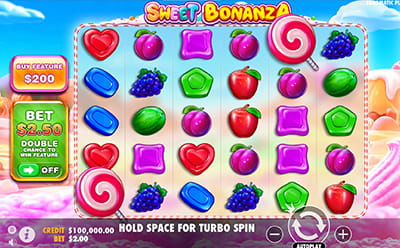
The supplied material describes a responsive browser-based service for current iOS and Android phones and tablets. It identifies mobile access for registration, login, account controls, casino games, sportsbook pages, deposits, withdrawals and live dealer streams, but does not identify a dedicated native application. That distinction matters: a mobile website opened in Safari or Chrome is not the same as an installed iOS or Android app.
Responsive layouts often rearrange the navigation rather than remove it. Main categories may sit behind a menu icon, while the account area may be represented by a profile symbol or a compact label. If a game appears to have disappeared, check the menu, active category and page filters before assuming it is unavailable. Rotating the device can improve visibility for live streams, while a stable connection is particularly important for video content.
Mobile usability also involves avoiding accidental actions. Keep the device at a comfortable zoom, close unrelated browser tabs and check the page heading before selecting a game or account function. When moving between casino and sportsbook areas, verify the section after each navigation change. If the browser behaves unexpectedly, closing and reopening the page may help, but do not repeatedly submit an account or payment action while waiting for a response.
Which account controls deserve a separate check?
Navigation is not limited to games. The reported account area includes identity or KYC status, transaction and bonus balances, VIP reward progress and responsible-gambling settings. These controls may be located away from the game lobby, so it is worth learning where the account menu sits before beginning a session. Knowing how to reach limits or time-out settings is more useful than relying on memory when feeling rushed.
Listed controls include daily, weekly or monthly deposit limits, cooling-off periods, temporary time-outs, self-exclusion and account closure. The material also refers to wager and loss limits and a self-assessment tool. Availability and exact conditions should be checked in the account’s own settings. A self-exclusion request is described as blocking play for the selected period, with reopening not being immediate, so it should be treated as a serious restriction rather than a temporary menu preference.
Access problems can also affect usability. Password recovery is described through the login screen using the registered email address, while unresolved account, email or password issues may be directed to support or live chat. Missing documents can result in a temporary lock, and verification may be requested before a first withdrawal or during an account review. Keep navigation and support separate from assumptions: if a feature, limit or document requirement is not visible in the account, check the operator’s stated requirements rather than relying on general industry practice.
Frequently asked questions about navigation
Can I find a game without knowing its provider?
Yes. Begin with the game type or lobby shelf, such as Video Slots, Live Dealer, New or Originals. If the title is not visible, try the site’s search function if provided, then check spelling and filters. Provider names are helpful for narrowing results, but they are not required for ordinary browsing.
Is browser-based mobile access the same as an app?
No. The available material describes a responsive website for mobile browsers and does not identify a dedicated native application. Use the browser address and normal device security settings. Do not assume that adding a webpage shortcut creates an independently installed app or changes the service’s account and security requirements.
Where should I look for limits and account restrictions?
Check the account or responsible-gambling area rather than the game lobby. Reported controls include deposit limits, cooling-off periods, time-outs, self-exclusion and account closure, with additional wager or loss tools mentioned. Exact availability can depend on the account, so review the displayed terms before confirming a restriction.